Have you ever come across a site that takes great pains to tell you exactly the kind of password you should be using, with what seems to be a potpourri of creative ideas for arriving at a string of characters guaranteed to be impossible to memorize?
This is not a breach report, a forensic investigation, or a claim that Koodo stores passwords improperly. It is a guided tour through something more banal and therefore more revealing: the small rituals of modern security theatre. A password form that rejects spaces in passphrases. A reset process that fails anyway, then offers a rainbow piñata as emotional support. This blog is a story about how zero-effort customer-facing support turns into an exhausting performative security act.
While acknowledging that the line between memorable and guessable is a thin one, so that it theoretically makes sense to force users through violent contortions designed to build a 'strong password' we should nevertheless not deprive ourselves of the opportunity to exercise critical thinking when registering for new accounts.
Choose Happy, Then Try Getting Help
Koodo Mobile is a Canadian telco owned by Telus Corporation, whose focus is a younger demographic looking for fixed prices on smartphone plans. As such, the brand has been carefully crafted to balance a trendy vibe with a budget flair. That vibe manifests itself in the header of every web page, starting with the slogan "Choose Happy".

Ostensibly, that happiness ends when you try to request support, or get service from a human being, because its telephone hotline literally hangs up on you as soon as you request help with a prepaid plan. Before doing so however, it sends you to a cryptic URL that looks like a badly planned weekend vibe coding project: https://widget.telus.tiia.ai/koodoprepaid/koodoprepaid.html
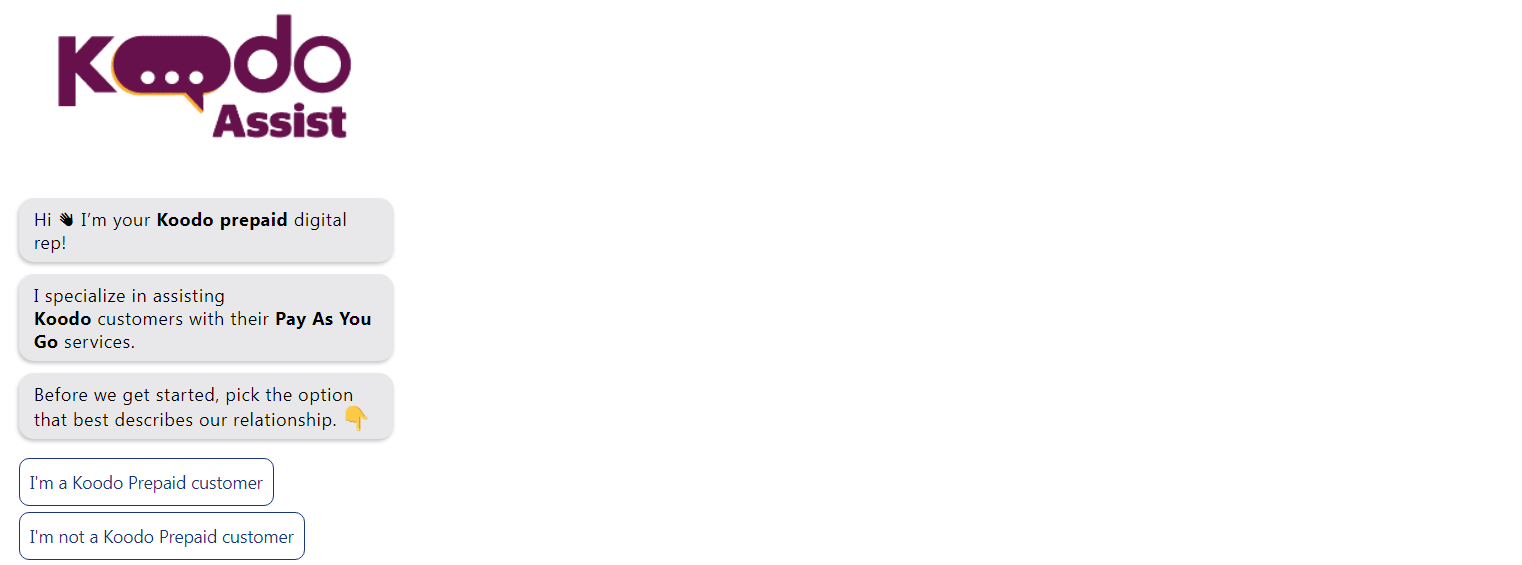
The AI Assistant That Can't Know You
The jarring experience of an experimental widget that assumes we're in a relationship, is just starting. By going to its home page, we can see that tiia.ai is, well, a bit rough around the edges, as it claims to still be under construction and shows no signs of any privacy policy to help us understand where our discussions go.
That said, scrolling to the bottom of the page rewards the visitor with all the assurance a nonclickable image can offer: a lock icon and the words 'safe and secure'. What more can you ask for?

In case you're looking to delve deeper into your budding relationship with Koodo's AI assistant the parent site does offer an FAQ, or what they call "As to your Qs":
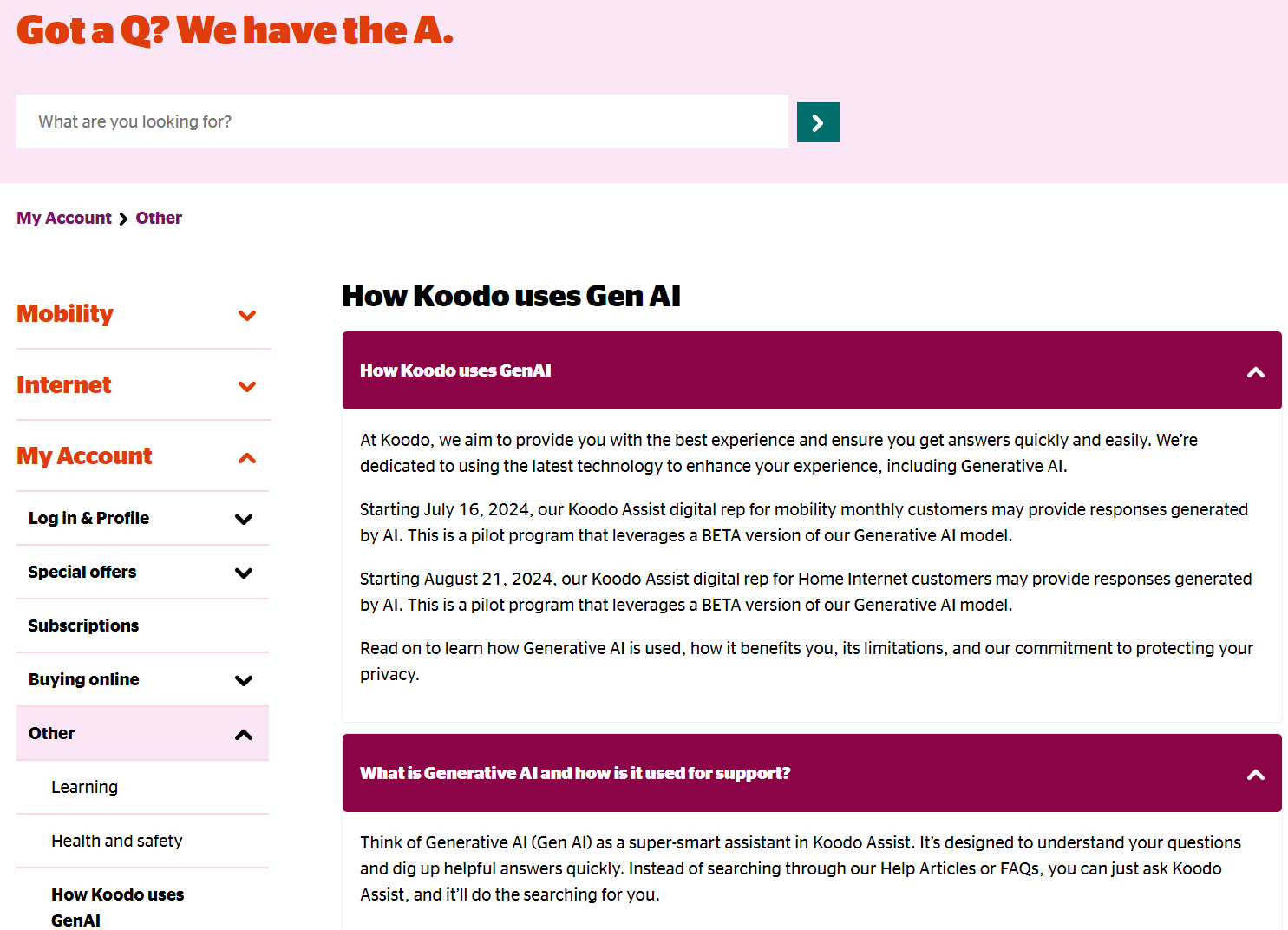
This page proudly extols the virtues of a chatbot installed two years ago, in the early days of generative AI, so it comes as a surprise to discover that this tool is still in BETA.
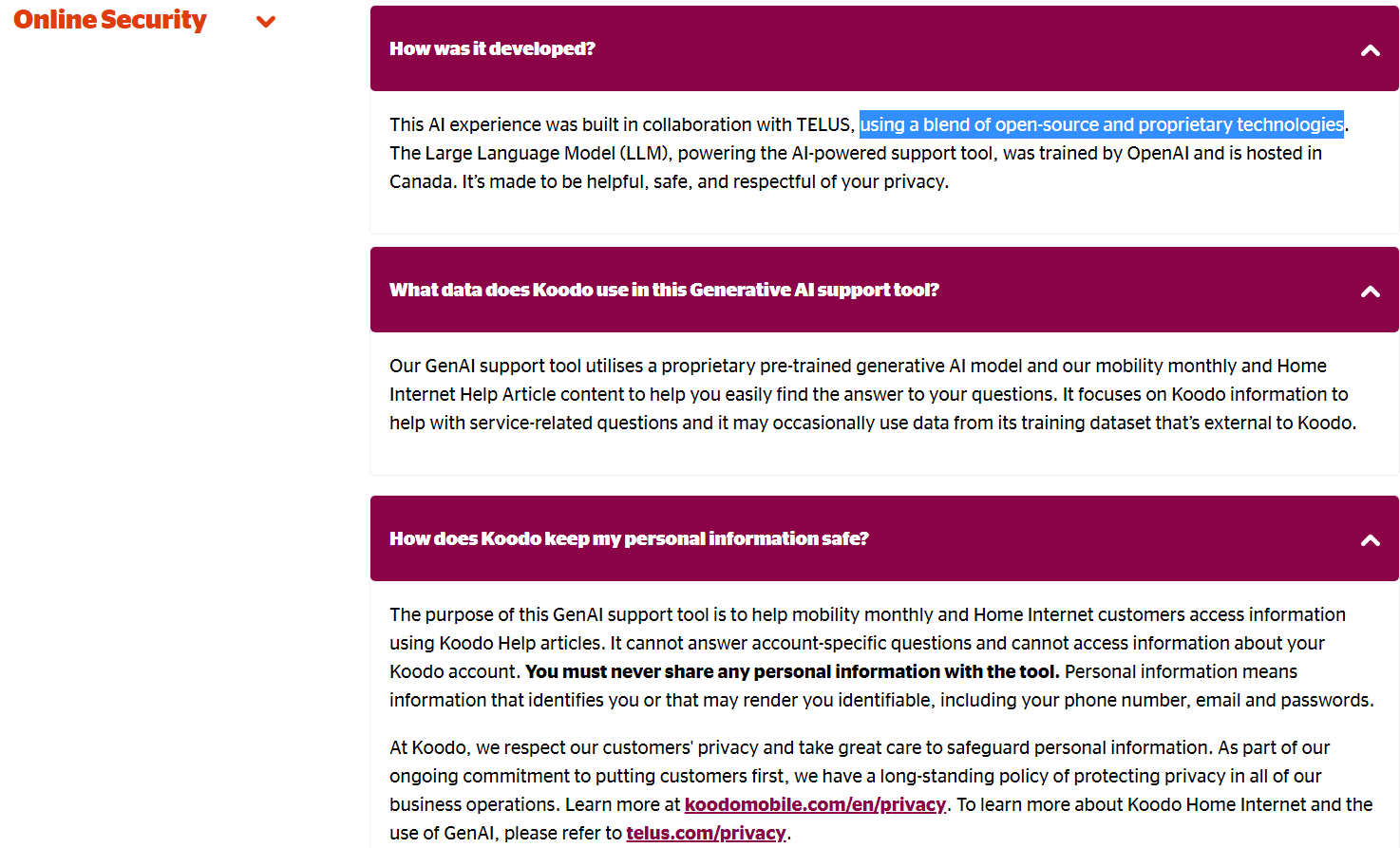
The word salad continues a somewhat strained description of the recipe used by Telus to concoct this AI helper using "a blend of open-source and proprietary technologies". The cognitive dissonance continues as it is said to have been trained by OpenAI (makers of ChatGPT) and is 'proprietary'. By that, we assume that neither Telus nor Koodo own any of it, since the proprietary bit belongs to OpenAI and the non-proprietary aspect is open source code with no guarantees whatsoever.
Privacy Promises as Mood Lighting
This is why when the page makes clear its "commitment to protecting your privacy", it's followed by the stern warning "You must never share any personal information with the tool". That certainly got serious fast. But rest assured: "It’s made to be helpful, safe, and respectful of your privacy."
And in case you thought that relationship was in any way meaningful to "the tool", the FAQ is quick to dispel the claim of the voice mail that hung up on you earlier: "It cannot answer account-specific questions and cannot access information about your Koodo account."

If it is indeed the case that Koodo does respect user privacy, then let's ask its own LLM, by querying ChatGPT itself about the veracity of the claims made in the privacy policy. The response was swift:
My assessment: partially true, but overstated. The policies contain several real privacy-rights commitments that align with Canadian privacy principles, but the claim that they “respect Canadians’ privacy rights” is too broad if read as a guarantee of privacy-protective practices in every case.
It went on:
The weaknesses are significant. Canadian privacy regulators say meaningful consent requires clear explanation of what is collected, who it is shared with, why, and what risks or consequences exist; they also warn that vague purposes such as “service improvement” are not enough. TELUS/Koodo use very broad purposes such as “understand your needs and preferences,” “develop, enhance, market or provide products and services,” and “manage and develop our business and operations.” TELUS’ own examples include device identifiers, usage patterns, Optik TV viewing preferences, inferred lifestyle/product preferences, location data, call/SMS metadata, IP addresses and port numbers, recorded customer interactions, real-time analytics, chatbots, and AI-supported offers. That is a lot of behavioural data for a budget telco customer to be deemed to understand through a layered policy.
In other words, the claims overstate reality, but as with many other companies, the hope is that no one will ever peruse or challenge the privacy policy. ChatGPT says:
The biggest red flag is implied consent by continued use. TELUS’ Privacy Code says that, in general, using products and services constitutes implied consent for TELUS to collect, use and disclose personal information for all identified purposes.
Koodo’s provided page similarly says that unless the customer says otherwise, Koodo will assume consent for the identified purposes. That may be legally common in telecom privacy notices, but it is not the most privacy-respecting posture, especially where the “identified purposes” include analytics, marketing, inferred preferences, location-derived insights, third-party cookies, and AI-driven offer targeting.
There are also cross-border and third-party concerns. TELUS says personal information may be stored or processed outside Canada, including in the cloud, and may be available to foreign government agencies under applicable law.
Ouch. It seems that claims of 'trendy' and 'cheap' eventually lead to implied statements such as 'What do you expect from a budget telco, anyway'? Once you lower your expectations of privacy, everything is fine. As ChatGPT says:
As a privacy-rights claim, it is incomplete and promotional. A more accurate claim would be: “Koodo/TELUS publish privacy commitments aligned with Canadian privacy law and provide some rights and opt-outs, but they also rely on broad purposes, implied consent, analytics, AI-driven personalization, cross-border processing, and third-party advertising technologies.”
Some of those carefully worded claims can be said to be loosely related to the concept of Dark Patterns, particularly as they're used throughout the site to placate users and lower privacy salience.
The fact that ChatGPT insisted on using bold text should not be lost on us, but let's move on, because this is not the Bad Privacy Blog, so we do, eventually, have to get to the security aspects of this messy affair.
Now, About That Password Form
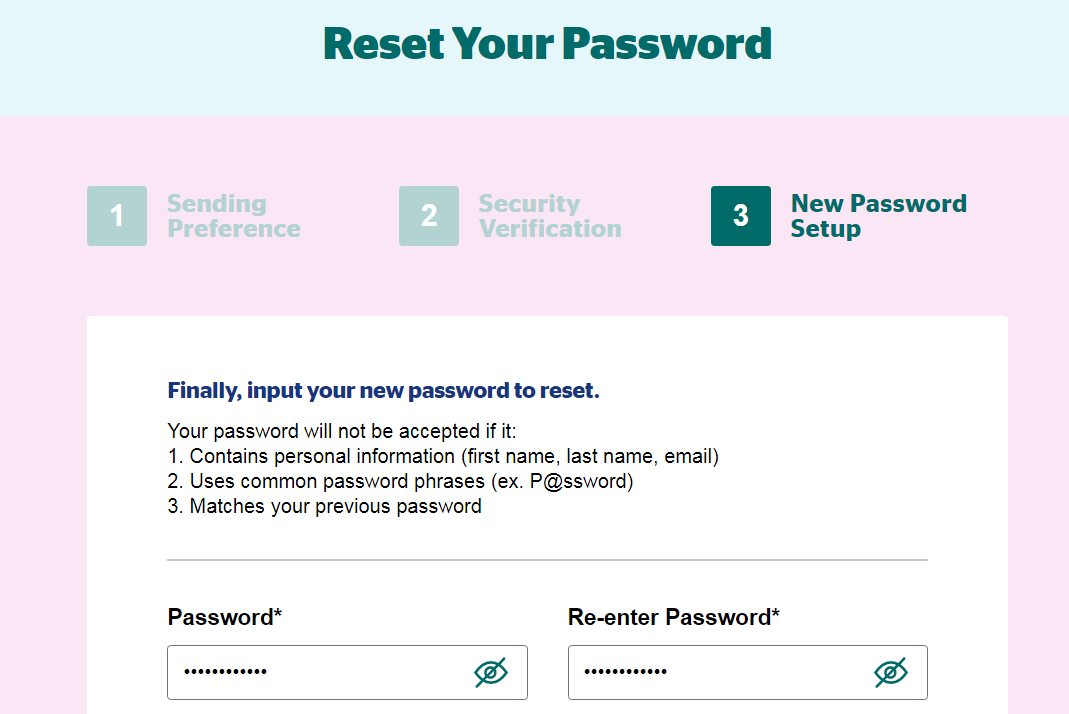
Ah yes, the security! Well, let's have a look, shall we? A good place to start is a password form, such as the password reset mechanism for user accounts:
A Space Is Not a Weapon
Right off the bat, I tried to use a passphrase - one of the best ways to create a secret that's both easy to remember and difficult to guess - and it told me that I broke one of its numerous cardinal rules, by using a particular character: the space.
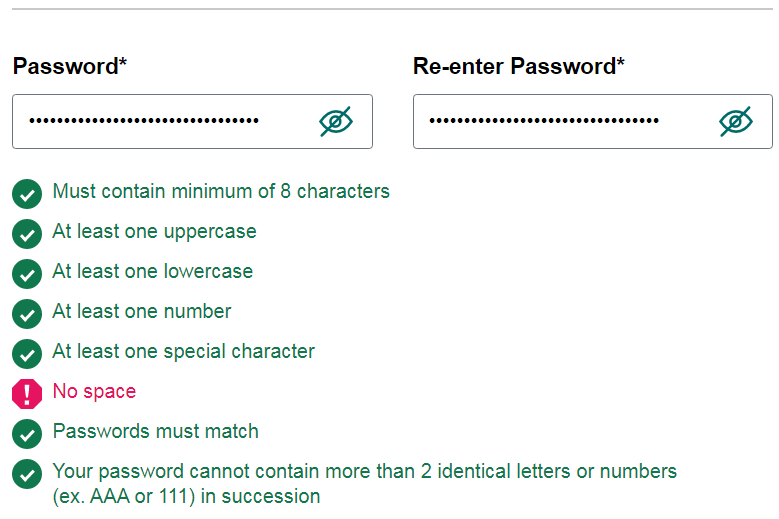
Wait! No space? Why not? That's literally my favourite thing to include in a long passphrase. How can it be a passphrase without being a phrase? Are phrases less secure than passwords?
In the interest of full disclosure, this is an old trick I use to judge a site’s password hygiene. A site is not supposed to know my password in any lasting sense: no employee should be able to retrieve it, no log file should contain it, and no database should store it in readable or reversible form.
The password has to briefly exist while the system checks and protects it, but it should never be retained in that readable form. It should be transformed using a salted, slow password-hashing process so that future logins compare derived values rather than the passwords themselves.
That is why “no spaces allowed” is such a bad security indicator. A space is not dangerous in a password. It is one of the most natural ingredients of a passphrase. As we'll find below, modern guidance says sites should accept whitespace and other ordinary characters, not ban them. If a site is afraid of punctuation, it suggests the developers may be compensating for weak input handling, legacy limits, or a misunderstanding of how password storage works.
In fact, passwords are supposed to be protected in two different ways as part of a proper authentication process. First, behind those asterisks you see on-screen is indeed a text string corresponding to the user's password waiting to be sent to the website in encrypted format. That's what's called HTTPS/TLS, a protocol that acts as a secure tunnel that leads your password and other information to its destination.
Upon arrival, the server is responsible for taking that now-decrypted password and creating a one-way 'digest' of mathematically scrambled characters that can't be decrypted. Your password is never meant to be stored in the clear.
If I were writing this for the Bad Privacy Blog I would clarify that a password should never be retained, logged, accessible by staff, stored in a database, seen by analytics systems, or be at all retrievable in plaintext. At that point it stops being a mere security lapse and becomes a privacy failure.
A password is not just a technical token; it is a secret chosen by a person to protect access to their account, communications, billing details, metadata, preferences, and probably a lot more. Under Canadian privacy principles, personal information must be protected by safeguards appropriate to its sensitivity, and those safeguards must protect against loss, theft, unauthorized access, disclosure, copying, use, or modification. A readable password is the opposite of an appropriate safeguard. It represents sensitive personal information left in a form that maximizes harm if exposed.
In the ideal case, when users return to the site and attempt to log in, the server must only be able to compare the new "mush" with the stored digest. If they are identical, you're in like Flynn.
Why do we hear about so many sites and companies whose passwords have been compromised? Because they either didn't hash passwords or they messed up the process so badly that thieves were able to somehow undo the hashing and recover those secrets.
In the old days, the reason - which has nowadays become an excuse - for carefully filtering characters was that entering arbitrary characters such as spaces, slashes and other punctuation often used in coding commands, could inadvertently allow malicious users to literally inject nefarious code that can breach security and cause havoc. So as far back as the 90s, early Web registration forms made it clear that such characters were unwelcome.
Since then, and with the advent of simple, effective encryption methods available to coders both novice and advanced, the awkward practice has become a kind of a canary, hinting at the potential for improper password handling on the part of the website. We now know that banning spaces, slashes, quotes, or punctuation is not the right defence against code injection. Passwords, like any other type of data, need to be safely encoded before being securely hashed. All sites should be able to accept characters without fear of executable code or something blowing up in their face.
You don't have to take my word for it: two major authorities in secure authentication guidance say that no such discrimination should take place during login or any other password verification. For instance, NIST says it plainly: "Verifiers SHOULD accept all printing ASCII [RFC20] characters and the space character in passwords". The Open Worldwide Application Security Project (OWASP) even more coherently states that in order to "implement proper password strength controls" sites must:
allow usage of all characters including unicode and whitespace. There should be no password composition rules limiting the type of characters permitted. There should be no requirement for upper or lower case or numbers or special characters.
To be fair, the space ban does not prove that any such site stores passwords in plaintext. But if a website does retain readable passwords, even internally, the issue is no longer merely whether its developers followed best practice. It becomes a question of whether the organization protected a highly sensitive personal secret with safeguards appropriate to the risk, as the law suggests.
How dated does an authentication journey have to feel before users are entitled to question the rest of the machinery? Let's have a look, because after all, if a site still treats ordinary password characters as suspicious, can we trust the rest of its authentication journey to be any more modern?
I guess this is what the movie industry calls foreshadowing.
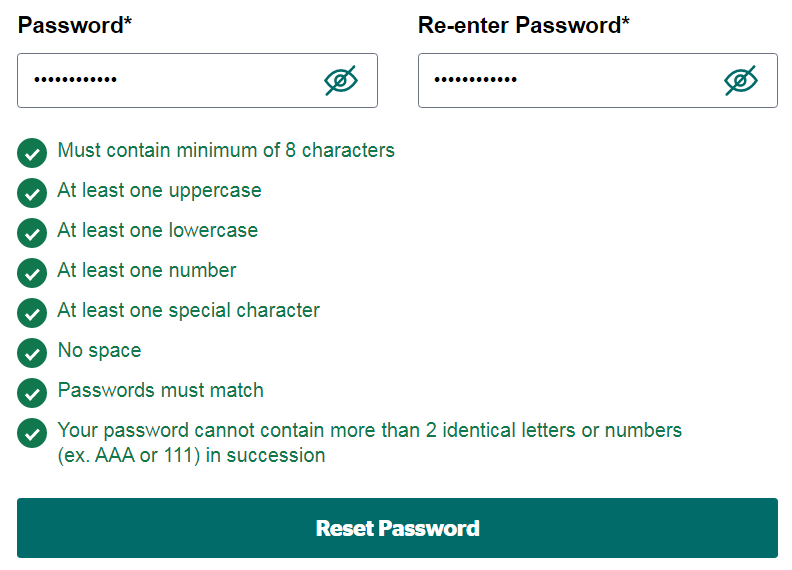
After a few attempts at finding a suitably complex password, I settled on one that checked all the boxes and hit 'Reset', hopeful that I had run the gauntlet and gotten the minor dopamine hit of this unintentionally gamified process.
Alas, it was not to be.
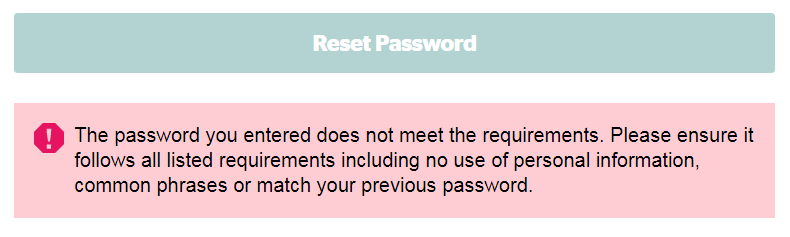
The Password Reset Piñata
In a decidedly rude about-face, the site went back on its previous claim and decided that I should be denied access after all.
What's more, as if to goad me into giving it yet another shot after having tried at least a dozen times, it offered an image of a friendly and colourful piñata.
Seriously. A rainbow coloured piñata?
Here's the beast, right below my rejection message:
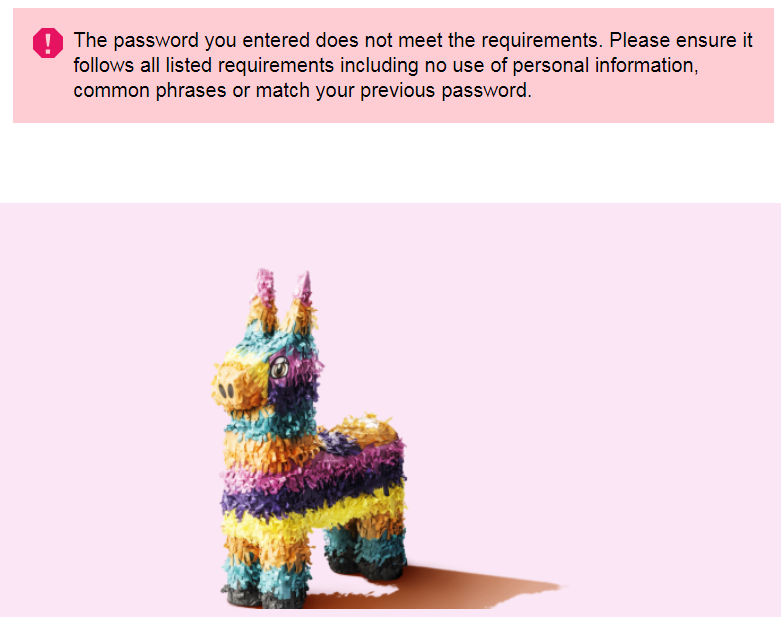
After a few additional valiant attempts, I simply gave up. After all, there's an actual Koodo office presumably staffed by humans right in the middle of town, and I intend to give them a chance to prove that they will not be easily replaced by digital twins.
Note that while I'm using the example presented by Koodo, this is by no means a rare occurrence. Many sites still impose outdated password composition rules, redundant complexity practices and are getting away with such methods not realizing that they might in fact be telegraphing their weaknesses to cyber criminal attackers.
Circling back to AI
Given the lack of media coverage, you can be forgiven for being entirely unaware about Koodo's parent company's monumental data breach that took place a couple of months ago. As a refresher, I asked Google about it and Gemini barged in with its AI insights, as it does:
It went on to say that the hack at Telus Digital is shaping up to be one of the largest in history, at over a thousand terabytes of stolen sensitive corporate and personal customer data. Ironically, it allegedly happened because of mishandled secrets. Reports indicate that the incident involved compromised credentials and cloud access: maybe not passwords as such, but still very much a story about secrets, credentials, cloud access, and the consequences of authentication gaps. Not spaces. Gaps.
When was the last time you got to say the word PETABYTE, anyway? Gemini helpfully indicates that as being roughly one quadrillion bytes. Sounding almost like The Hitchhiker’s Guide to the Galaxy, it goes on to say, in the same voice it would use to describe the critical importance of a towel:
A Petabyte represents an astronomically massive amount of information, typically used to measure large enterprise cloud storage, data centers, and big data operations.
To put a petabyte into perspective, it can store:
200,000 HD Movies: Roughly 200,000 feature-length movies in high definition.
250 Million Songs: (stored as standard MP3 audio files)
500 Billion Pages of Text: The equivalent of one billion average books or half a trillion pages of printed text
Armed with that perspective, we are told a bit more about the Telus breach:
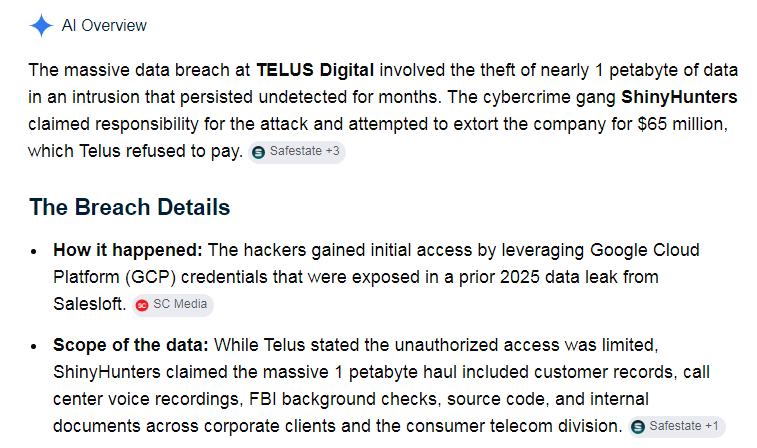
The AI commentary is not the evidence here. It's part of the scenery. The evidence is in the policies, the password form, the official guidance, and the company’s own public update. It just seemed to fit neatly enough for me to delve into the subject matter for the Bad Security Blog.
Some 4 months after extortionists demanded $65 Million from Telus under threat of going public with the data, the company's "Cybersecurity Update" site continues to indicate that the investigation continues, and really... there's no reason to believe that any of your sensitive personal information has been accessed.


A petabyte of data.
No reason to believe? Really?
In conclusion, keep questioning security and privacy claims, especially when a site tells you ordinary characters must be excluded for your protection. And when the process fails anyway, take one more swing at the piñata.
By the way, I want to be clear that no piñatas were harmed in the creation of this blog. Password usability, however, took a beating.